
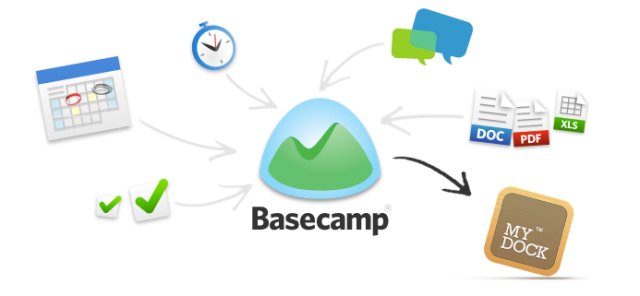
Key Features
To-Dos & Task Lists
Assign tasks, set due dates, and track progress with clear checklists.
Message Boards
Post announcements, updates, and discussions in organized threads.
Docs & Files
Upload, organize, and collaborate on documents and assets in one place.
Campfire Chat
Use real-time group chat for quick conversations and team bonding.
How It Works
Create a Project
Set up a new project space with tools like to-dos, messages, and schedules.
Add Team Members
Invite collaborators and assign roles for visibility and accountability.
Plan & Assign Tasks
Break work into to-dos, assign owners, and set deadlines.
Communicate & Share
Use message boards and Campfire chat to keep everyone aligned.
Track Progress
Monitor updates, check-ins, and completed tasks from a central dashboard.
Code Example
// Basecamp API example using fetch:
fetch("https://3.basecampapi.com/999999999/projects.json", {
  method: "GET",
  headers: {
    Authorization: "Bearer YOUR_ACCESS_TOKEN",
    "User-Agent": "YourApp (yourname@example.com)",
  },
})
  .then((res) => res.json())
  .then((data) => console.log(data));
Use Cases
Client Projects
Manage deliverables, timelines, and communication with external clients.
Remote Team Coordination
Keep distributed teams aligned with shared tasks and message boards.
Freelance Workflows
Track gigs, deadlines, and invoices with simple project spaces.
Internal Ops & HR
Run onboarding, policy updates, and internal documentation in Basecamp.
Integrations & Resources
Explore Basecamp’s ecosystem and find the tools, platforms, and docs to accelerate your workflow.
Popular Integrations
- Zapier, Automate.io, Workato
- Email forwarding, calendar sync
- Basecamp API, Webhooks
- Time tracking tools (Harvest, Toggl)
- Dropbox, Google Drive, OneDrive
Helpful Resources
FAQ
Common questions about Basecamp’s capabilities, usage, and ecosystem.